Query
Write and run typed MongoDB scripts in a workspace made for focused exploration.
 MongoG
Download
MongoG
Download

Browse collections, run real MongoDB Node.js driver scripts in a typed query editor, inspect BSON-safe results, and keep encrypted connection profiles on your device.
Available for macOS, Windows, and Linux.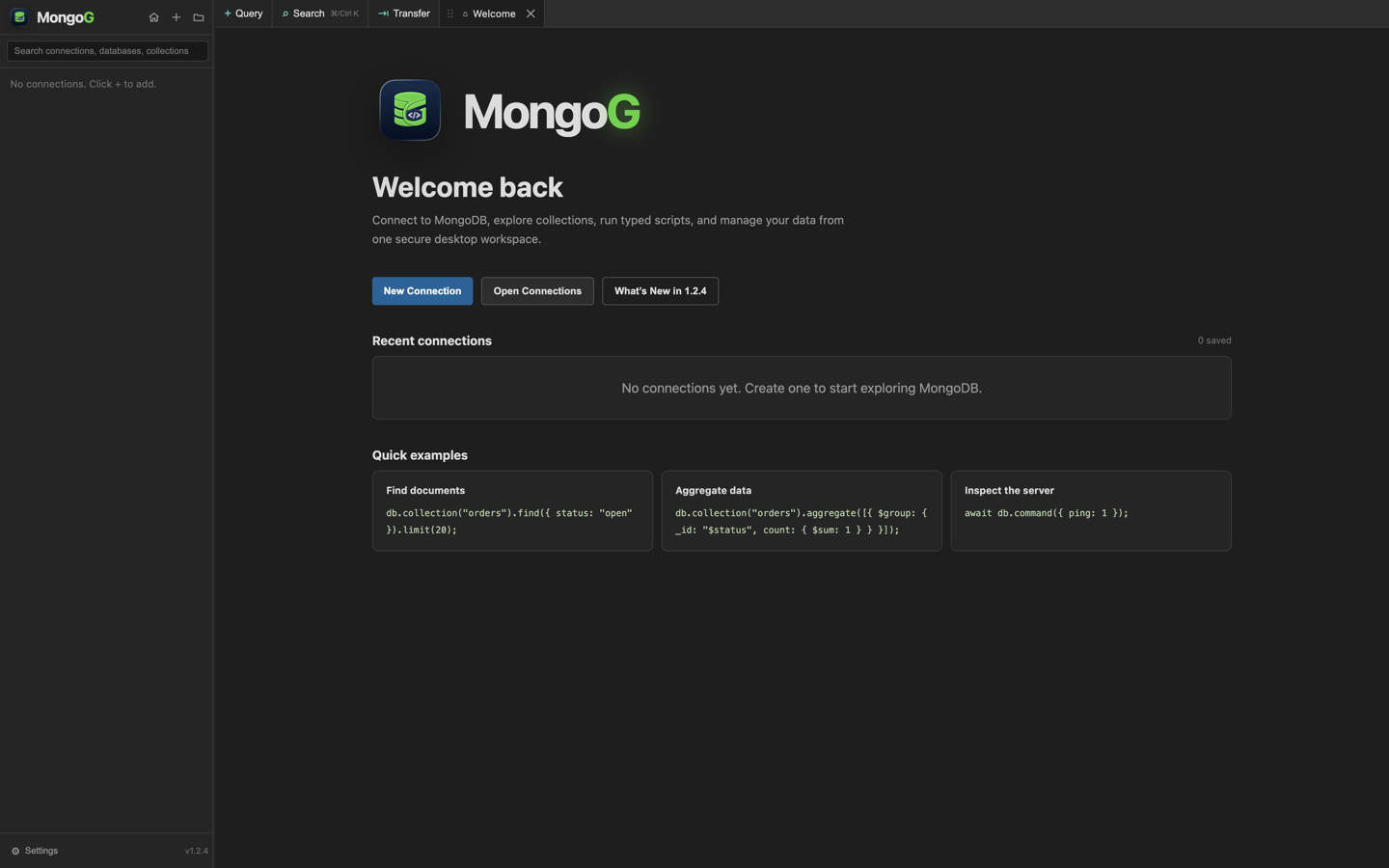
Built for daily database work
Move from connecting to inspecting data without switching tools or losing context.
Write and run typed MongoDB scripts in a workspace made for focused exploration.
Find connections, databases, collections, and documents quickly from one place.
Move data between collections and environments with a clear, guided workflow.
Your saved connection details remain encrypted and stored on your device.
Use native window controls, keyboard shortcuts, tabs, and a layout designed for long working sessions.
Download MongoG
Install MongoG and connect to your first database in minutes.
View all releases and release notes →
Current release: MongoG 1.2.27
## Synchronized filters and a smoother workspace Documents filters stay in sync, query suggestions are more focused, and the workspace runs more smoothly with stronger script and renderer protections. ### Added - Documents column filters and the Filter editor now stay in sync, including supported comparisons, ranges and wildcard conditions. ### Improved - Query suggestions prioritize MongoDB shell helpers and core JavaScript, while Filter suggestions offer ObjectId, ISODate and UUID where a value is expected. - Reduced unnecessary workspace redraws and saves, keeping the interface more responsive during query results and bursts of console output. - Packaged applications are smaller because unused renderer source maps and development-only type dependencies no longer ship. - Strengthened script execution protections, renderer content restrictions and IPC origin validation. - macOS release packaging now retries temporary Apple ticket-service disconnects while still requiring successful signing, notarization and validation. ### Fixed - Editing a column filter preserves advanced Filter conditions, and an invalid Filter must be corrected before column edits can replace it. - Restored Documents tabs load their first page after the connection is re-established. - Concurrent connection requests share one query runtime instead of starting duplicate background processes. - MongoDB URI redaction now fully masks credentials containing raw @ characters.
Frequently asked questions
Yes. You can download and use the core MongoG experience for free.
Yes. Connect with your Atlas connection string just as you would with any MongoDB client.
Your saved connection credentials are encrypted and stored locally on your device.
MongoG is available for macOS, Windows, and Linux.


